
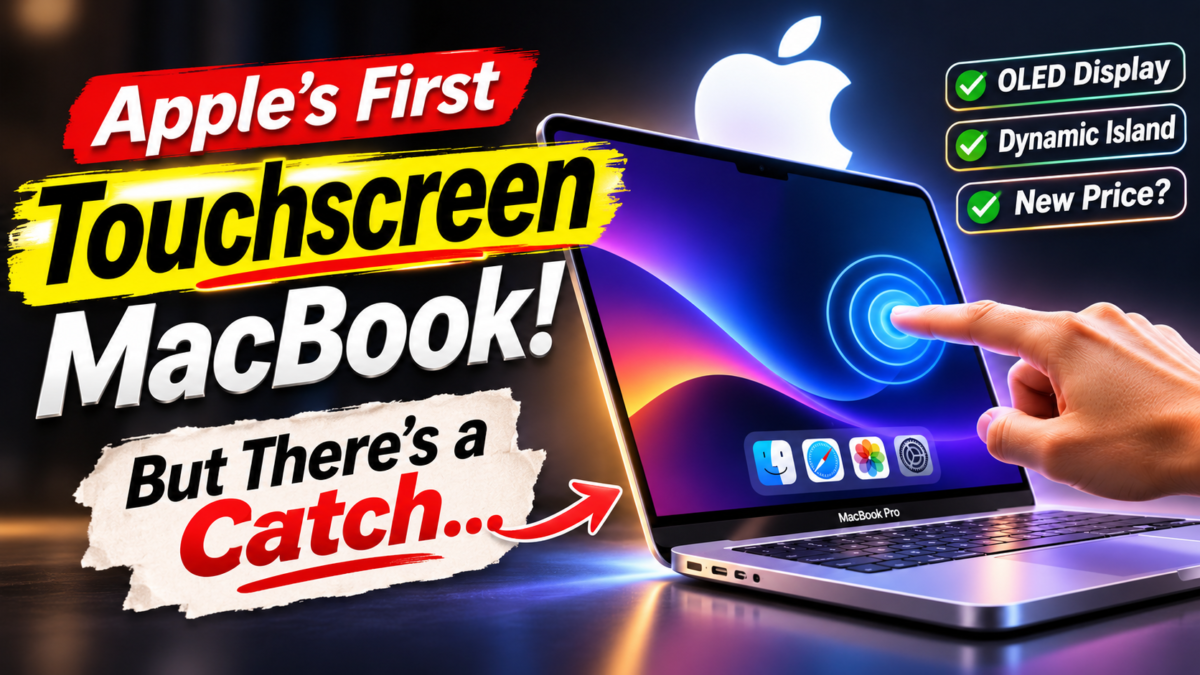
For years, Apple insisted that touching a laptop screen was the wrong way to use a Mac. Now, the company has done something many fans never expected: it has put touch directly onto the MacBook Pro display.
But the first touchscreen MacBook Pro is not the tablet-laptop hybrid some people imagined. Apple has kept the familiar laptop design and added a new way to interact with it, alongside a major display upgrade, a redesigned top-of-screen area and a price that may make even loyal Mac users pause.
Announced on October 28, 2026, the new 14-inch and 16-inch models combine tandem OLED technology, touch input and Apple’s M5 Pro and M5 Max chips. Pre-orders are open, with availability beginning November 6.
Here are the five changes that make this touchscreen MacBook Pro more surprising than it first appears—and the details that matter before you consider buying one.
Apple Finally Changed Its Mind About Touch
Apple’s resistance to touchscreen Macs was never just a missing feature. The company had long argued that a laptop’s vertical screen was uncomfortable to touch for extended periods, while a keyboard and trackpad offered a more natural experience for desktop work.
That argument shaped the Mac for years. If you wanted touch, Apple pointed you toward an iPad. If you wanted macOS, you used a MacBook. The two product lines had different jobs, and Apple was careful not to blur them.
The new touchscreen MacBook Pro changes that boundary—but not by abandoning the laptop’s familiar controls. Apple is presenting touch as an extra option for moments when reaching toward the screen feels easier than moving a cursor.
That distinction matters. A quick swipe through a long webpage, a pinch to zoom into a photo, or a tap on a timeline can feel more direct than using a trackpad. Yet precision work still has a keyboard, trackpad and pointer available.
Apple’s move also reflects how people now use computers. Many users switch between phones, tablets and laptops throughout the day. Touch has become second nature on smaller screens, and Apple is finally allowing that habit to carry over to the Mac.
For the official announcement and full specifications, see Apple’s MacBook Pro announcement.
The OLED Display May Be the Real Star
Touch gets the headline, but the display could be the upgrade users notice every time they open the lid. The new touchscreen MacBook Pro introduces Apple’s tandem OLED display, marketed as PROLED XDR.
Unlike traditional LCD technology, OLED pixels produce their own light. That allows the screen to deliver deep blacks and strong contrast, especially when bright elements appear against dark backgrounds. Tandem OLED uses multiple light-emitting layers to help deliver high brightness and improve efficiency.
Apple lists up to 2,000 nits of peak brightness, a 10,000,000:1 contrast ratio and a 120Hz variable refresh rate. In practical terms, that means vivid HDR highlights, smoother scrolling and more convincing contrast when editing photos, grading video or watching films.
The display also supports a wider colour range, including P3 and Adobe RGB. That will matter most to photographers, designers and video professionals who need colour to look consistent across their workflow.
There is a trade-off to watch: OLED technology can raise concerns about image retention and burn-in when static interface elements remain on screen for long periods. Apple says it has built display-engine algorithms into the system, but long-term real-world testing will tell us more about how well those protections work.
For a deeper look at how Apple is positioning its display technology, read Ars Technica’s launch coverage.
It Is Still a MacBook—not an iPad in Disguise
One of the biggest surprises is what Apple did not build. The touchscreen MacBook Pro does not fold into a tablet, detach from its keyboard or transform into a convertible device.
It remains a traditional clamshell laptop. The screen opens, the keyboard stays in place, and macOS remains the operating system. Touch simply joins the existing input methods.
That approach may disappoint people who wanted a MacBook that could become an iPad for drawing or reading. But it also avoids forcing professional users to rethink their entire workflow. A video editor can keep using keyboard shortcuts, a developer can continue typing, and a designer can reach for the screen when direct manipulation is useful.
The question is whether this balance feels natural. Reaching up to a vertical screen can be tiring during long sessions, especially compared with a trackpad. Touch may prove most useful in short bursts rather than as a replacement for the pointer.
For people who already own an iPad, the new MacBook Pro also raises an interesting question: will touch make the two devices feel more alike, or will their different software and form factors keep them distinct?
macOS Is Learning to Respond to Your Fingers
A touchscreen is only as good as the software behind it. Simply adding a touch-sensitive panel to a desktop interface can leave users poking at tiny buttons and menus designed for a mouse.
Apple says the new MacBook Pro has touch interactions designed for macOS. Users can swipe through webpages, pinch to zoom, drag content between apps, double-tap a window to expand it and use gestures to arrange windows.
The touch sensor is integrated into the display panel rather than added as a separate layer, which Apple says helps reduce latency. That could make drawing, selecting objects and manipulating on-screen content feel more immediate.
Existing apps can also benefit because macOS translates many touches into clicks. Developers can go further with updated gesture APIs, allowing apps to create touch-specific controls and interactions.
Apple has named creative and productivity apps including Canva, Microsoft Office, Adobe Lightroom, DaVinci Resolve, Blender and ZBrush among the software expected to take advantage of touch. The real test will be whether those updates make common tasks faster instead of merely adding a novelty.
For example, selecting a clip in a video timeline with a fingertip could feel more direct. Adjusting a colour slider or moving a 3D object may also benefit from touch. But detailed editing will still depend on whether the interface offers enough precision for professional work.
Dynamic Island Comes to the Mac
The touchscreen MacBook Pro also replaces the familiar display notch with Apple’s Dynamic Island. The feature, first popularized on the iPhone, becomes a compact space for alerts, activities and quick controls.
On the Mac, Apple says the Dynamic Island can surface Spotlight, Live Activities and Siri AI. Users may be able to check an update, control music, respond to an AirDrop request or access information without opening a separate window.
It is a small design change, but it gives the top edge of the screen a more active role. On a laptop used for work, quick access to live information could be useful—provided it does not become another source of distraction.
The Dynamic Island also signals that Apple is bringing more of its device experiences together. The Mac is not becoming an iPhone, but familiar interface ideas are starting to travel across the company’s products.
The Price Is the Biggest Reality Check
All these upgrades come at a premium. In the United States, the touchscreen MacBook Pro starts at $2,899 for the 14-inch M5 Pro model and $3,399 for the 16-inch version. M5 Max configurations start at $4,499 and $4,799, respectively.
Those prices place the new models firmly in professional territory. The display, touch layer and high-end chips may appeal to creators who can justify the cost through their work, but they make the laptop a difficult impulse purchase for students or casual users.
Storage upgrades can push the total much higher, particularly for buyers configuring a machine with more memory and capacity. Before ordering, compare the final configuration with the cost of a conventional MacBook Pro plus an iPad—or a touchscreen Windows laptop.
For pricing context and the wider laptop market, Reuters’ report on Apple’s touchscreen launch explains how the premium positioning compares with the broader touchscreen notebook category.
What About Performance and Battery Life?
The touchscreen MacBook Pro uses Apple’s M5 Pro and M5 Max chips, rather than introducing a new processor generation alongside the display redesign. That means the main story is the new screen and interaction model, not a dramatic chip leap.
Apple says the laptops can deliver up to 24 hours of battery life, with configurations offering up to 128GB of unified memory and up to 16TB of storage. Those top-end options are aimed at demanding workflows such as high-resolution video editing, 3D work, software development and large creative projects.
Actual battery life will depend on workload, brightness, configuration and how often the touchscreen is used. Touch input itself may not be the biggest power draw, but the OLED panel’s brightness and professional workloads can affect endurance.
If you’re following Apple’s wider AI hardware strategy, our coverage of Mistral Large 4 and its trillion-parameter architecture explores another side of the growing demand for powerful computing systems.
Should You Buy the Touchscreen MacBook Pro?
If you already own a recent MacBook Pro, the decision is not straightforward. The OLED screen and touch input are meaningful changes, but the M5 Pro and M5 Max chips may not deliver enough of a performance jump to justify replacing a machine that still meets your needs.
For photographers, video editors, designers and 3D artists, the new display could be the strongest reason to upgrade. Touch may also become valuable as creative apps add better gestures and direct manipulation tools.
If your work is mostly coding, writing, spreadsheets or browser-based tasks, the keyboard and trackpad may remain your primary controls. In that case, the touchscreen is a convenience rather than a necessity.
Buyers considering their first Mac should also compare the touchscreen model with the newly announced 14-inch MacBook Pro with M6. It offers a different balance of performance, features and price, and may be a better fit if touch and tandem OLED are not essential.
Our guide to the hidden costs of AI infrastructure also looks at why advanced chips and computing hardware are becoming increasingly expensive across the industry.
The Bigger Meaning: Apple Is Rethinking the Mac
The touchscreen MacBook Pro is more than a new feature. It is a sign that Apple is willing to revisit a long-standing design position when user habits and technology change.
Yet Apple has not thrown away the Mac’s identity. The keyboard, trackpad, desktop operating system and clamshell design remain central. Touch is being added to the experience, not used to replace it.
That makes this launch less of a dramatic reinvention and more of a careful experiment. If developers build genuinely useful touch workflows and users find the screen comfortable to reach, touch could become a natural part of the Mac. If not, it may remain an expensive extra feature attached to an excellent display.
The first touchscreen MacBook Pro arrives November 6. The hardware is real, the price is high, and the bigger question is still open: will people actually change how they use a Mac when the screen finally responds to their fingers?